How to Export LinkedIn Comments
Exporting LinkedIn comments can help you analyze engagement, gather feedback, and enhance your business strategy. Follow this easy step-by-step guide to export LinkedIn comments using ExportComments.com.

Exporting LinkedIn comments can help you analyze engagement, gather feedback, and enhance your business strategy. Follow this easy step-by-step guide to export LinkedIn comments using ExportComments.com.
Step 1: Obtain Your LinkedIn li_at Cookie
To export LinkedIn comments, you need the li_at cookie. This cookie is automatically generated when you log into LinkedIn. Here’s how to obtain it:
Option 1: Use our Chrome Extension (Recommended)
- Install the Extension:
- Automatic Cookie Detection:
- Once installed, the extension will automatically detect your LinkedIn cookies.
Option 2: Manually Obtain the li_at Cookie (For All Browsers)
- Open Developer Tools:
- In Chrome: Right-click on the LinkedIn page and select “Inspect,” or press Ctrl+Shift+I (Windows) or Cmd+Option+I (Mac).
- In Firefox or Edge: Right-click and choose “Inspect Element” or press F12.
- Navigate to the Application/Storage Tab:
- In Chrome: Go to the "Application" tab in the Developer Tools window.
- In Firefox: Switch to the "Storage" tab.
- In Edge: Go to the "Application" tab.
- Locate Cookies:
- In Chrome: Expand "Cookies" under the "Storage" section in the left sidebar and select
https://www.linkedin.com. - In Firefox: Expand "Cookies" and select
https://www.linkedin.com. - In Edge: Expand "Cookies" under the "Storage" section and select
https://www.linkedin.com.
- In Chrome: Expand "Cookies" under the "Storage" section in the left sidebar and select
- Find the
li_atCookie:- Scroll through the list or use the search bar to find
li_at.
- Scroll through the list or use the search bar to find
- Copy the Cookie Value:
- Once located, right-click on the value of the
li_atcookie and select “Copy.”
- Once located, right-click on the value of the
Step 2: Use ExportComments.com to Export LinkedIn Comments
Now that you have your LinkedIn li_at cookie, you can proceed to export the comments.
- Navigate to LinkedIn Comments Exporter:
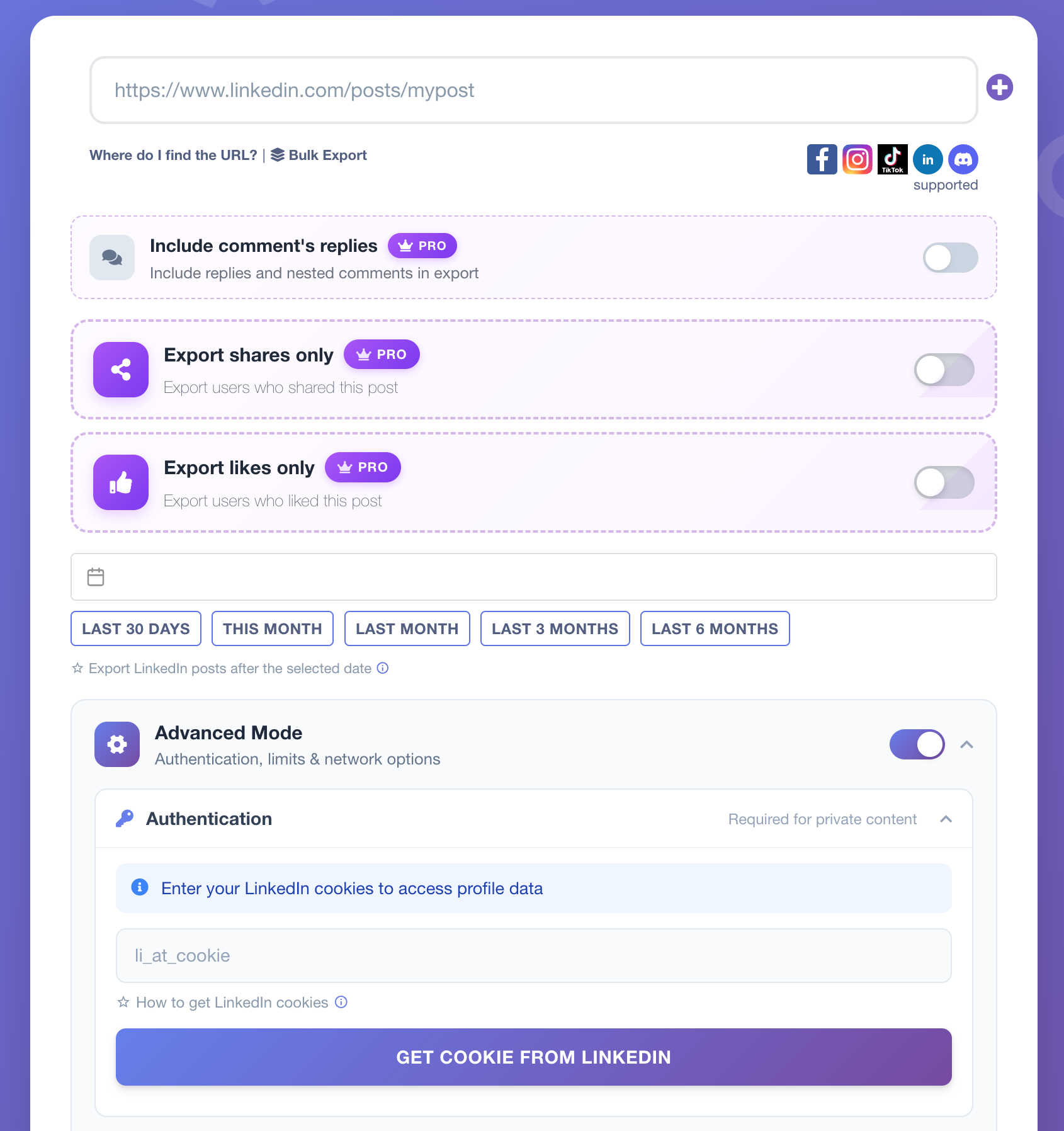
- Paste the LinkedIn URL and Cookie:
- URL: Paste the URL of the LinkedIn post from which you want to export comments.
- Cookie: Paste the
li_atcookie value you copied earlier into the designated field.
- Start the Export Process:
- Click the "Start Export Process" button to initiate the export. ExportComments.com will now retrieve the LinkedIn comments based on the URL and cookie you provided.
Step 3: Use ExportComments.com to Export LinkedIn Comments
Now that you have your LinkedIn li_at cookie, you can proceed to export the comments.
- Navigate to ExportComments.com Dashboard:
- Go to your ExportComments.com dashboard and open the section for exporting LinkedIn comments.
- Paste the LinkedIn URL and Cookie:
- URL: Paste the URL of the LinkedIn post from which you want to export comments.
- Cookie: Paste the
li_atcookie value you copied earlier into the designated field.
- Start the Export Process:
- Click the "Start Export Process" button to initiate the export. ExportComments.com will now retrieve the LinkedIn comments based on the URL and cookie you provided.
- Download the Data:
- Once the export process is complete, download the comments in your preferred format (Excel or CSV).
Step 4: Analyze LinkedIn Comments Data
With your LinkedIn comments exported, you can:
- Perform sentiment analysis to understand audience engagement.
- Track user interaction across posts for insights into marketing performance.
- Use the data to refine your LinkedIn content strategy.
- Check fields exported for LinkedIn Comments by clicking here.
FAQs
- How often can I export comments?
ExportComments.com supports regular exports, allowing you to track new comments over time. - Is the service free?
ExportComments.com offers both free and premium services depending on your data needs.
Conclusion
Exporting LinkedIn comments with ExportComments.com is a fast and efficient way to gather valuable feedback and track engagement. Whether you're a social media manager, marketer, or business owner, this tool allows you to export and analyze LinkedIn data to enhance your strategy.
Start exporting LinkedIn comments today with ExportComments.com!